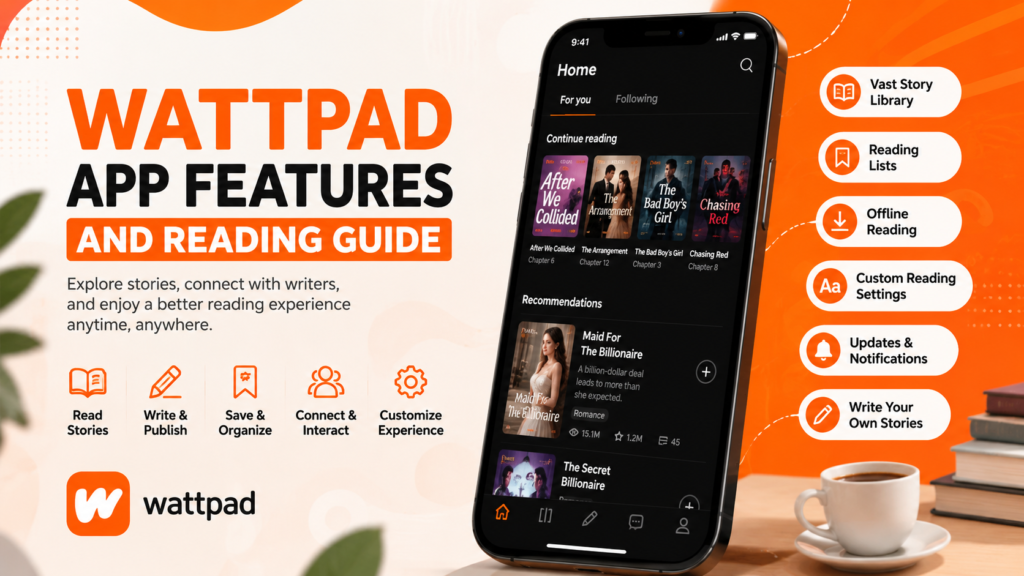
If you’re wondering what Wattpad app features are, the short answer is simple: the app lets users read stories, write their own content, organize personal libraries, interact with authors, customize the reading experience, and discover new books based on their interests. Whether you’re new to the platform or looking to explore more of its tools, this guide explains the most useful features in clear and simple language.
The Wattpad app is designed for readers who enjoy fiction across many genres and writers who want to publish stories and connect with an online community. This guide explains how the main features work, how to use them effectively, and what to expect on Android devices.
What Is the Wattpad App?
The Wattpad app is a digital reading and storytelling platform where users can read original stories and share their own writing. Instead of purchasing individual books, readers can browse a wide variety of user-created content from different genres and authors.
The app is available for Android and other platforms, making it convenient to enjoy stories on mobile devices.
Main Wattpad App Features
Extensive Story Library
One of the biggest strengths of the app is its large collection of stories covering many genres, including:
- Romance
- Mystery
- Fantasy
- Science Fiction
- Horror
- Adventure
- Teen Fiction
- Historical Fiction
- Fan Fiction
Readers can easily explore different categories and discover new authors.
Personalized Recommendations
The app suggests stories based on:
- Reading history
- Favorite genres
- Saved stories
- Reading activity
These recommendations help readers discover books that match their interests without spending time searching manually.
Reading Library
Users can create a personal library by saving stories they want to read later.
Benefits include:
- Easy access to favorite stories
- Continue reading from where you stopped
- Organize reading lists
- Manage bookmarked stories
Wattpad App Adjustable Reading Experience
The reading interface includes several customization options to improve comfort.
Available settings may include:
- Font size adjustment
- Background color options
- Reading themes
- Screen brightness compatibility
- Scroll or page-style reading (depending on version)
These options help reduce eye strain during longer reading sessions.
Offline Reading
Some stories can be saved for offline reading depending on account type, permissions, or availability.
Offline reading is useful when:
- Traveling
- Commuting
- Having limited internet access
- Conserving mobile data
Wattpad App on Writing and Publishing Stories
The app is not only for readers.
Writers can:
- Create new stories
- Edit chapters
- Save drafts
- Publish chapters
- Update existing stories
- Reach readers worldwide
This makes the platform attractive for both beginner and experienced writers.
Reader and Author Interaction
Community interaction is an important feature.
Readers can:
- Vote on chapters
- Leave comments
- Follow authors
- Share stories
- Receive update notifications
These features encourage engagement between readers and writers.
Reading Progress Sync
When signed into the same account, reading progress may synchronize across supported devices, allowing users to continue reading where they left off.
Key Features at a Glance
| Feature | Purpose |
|---|---|
| Story Library | Browse thousands of stories |
| Reading Lists | Save favorite stories |
| Recommendations | Discover similar content |
| Offline Reading | Read without internet (where available) |
| Custom Reading Settings | Improve reading comfort |
| Writing Tools | Create and publish stories |
| Comments & Votes | Interact with authors |
| Notifications | Stay updated on new chapters |
How to Get the Best Reading Experience
To enjoy the app more effectively:
- Create an account.
- Choose your favorite genres.
- Follow authors you enjoy.
- Save stories to your library.
- Adjust font size for comfortable reading.
- Enable notifications for story updates.
- Keep the app updated for improved performance.
These simple steps help personalize your reading experience.
How to Discover New Stories
Finding interesting content becomes easier if you:
- Browse trending stories.
- Explore genre categories.
- Follow popular writers.
- Read community recommendations.
- Check recently updated stories.
- Search using keywords or story titles.
Exploring different categories also introduces you to new authors.
Device Compatibility
The app generally supports Android devices that meet the minimum operating system requirements for the installed version.
For the best experience:
- Keep Android updated.
- Ensure enough free storage.
- Maintain a stable internet connection for browsing.
- Update the app regularly.
Common Issues and Troubleshooting
App Is Running Slowly
Possible solutions:
- Restart the app.
- Close background applications.
- Clear temporary app cache if appropriate.
- Restart your device.
- Update to the latest compatible version.
Stories Are Not Loading
Try the following:
- Check your internet connection.
- Switch between Wi-Fi and mobile data.
- Refresh the page.
- Restart the app.
Login Problems
If you cannot sign in:
- Verify your email and password.
- Reset your password if needed.
- Ensure the app is updated.
- Check whether the service is experiencing temporary issues.
Download or Installation Issues
If you’re installing an Android application package from a trusted source:
- Verify the file downloaded completely.
- Ensure your device has enough storage.
- Install a version compatible with your Android device.
- Remove older conflicting versions if necessary, after backing up your data where appropriate.
Is the Wattpad App Safe to Use?
The official app is designed for reading and writing stories. If you download Android application files from third-party websites, always use trusted sources, verify file integrity when possible, and understand that unofficial downloads may carry security or compatibility risks.
Always review the permissions requested during installation and keep your device protected with current security updates.
Benefits of Using the Wattpad App
Some advantages include:
- Large collection of stories
- Personalized recommendations
- Comfortable reading interface
- Community interaction
- Writing and publishing tools
- Reading progress synchronization
- Convenient mobile reading
- Easy story organization
FAQs
What are the best Wattpad app features?
Some of the most popular features include personalized recommendations, customizable reading settings, story libraries, writing tools, offline reading where available, and reader interaction through comments and votes.
Can I read stories without an internet connection?
Some content can be available for offline reading, depending on the app version, account features, and whether that option is available for specific stories.
Can I write stories using the Wattpad app?
Yes. The app includes tools for creating drafts, editing chapters, publishing stories, and managing your writing.
Does the app recommend stories automatically?
Yes. Recommendations are generally based on your reading interests, saved stories, and activity.
Can I customize the reading screen?
Yes. The app offers settings such as font size and reading themes to make reading more comfortable.
Is the app suitable for beginners?
Yes. Its simple interface makes it easy for first-time users to browse stories, build a library, and start reading within minutes.
How can I discover new authors?
You can browse trending stories, explore genres, follow writers, and use the search function to find content that matches your interests.
Conclusion
The Wattpad app features make it more than just a mobile reading application. With customizable reading options, personalized recommendations, writing tools, story organization, and community interaction, it provides an engaging experience for both readers and aspiring writers. Whether your goal is to enjoy fiction during your free time or publish your own stories, understanding these features helps you get the most from the app.